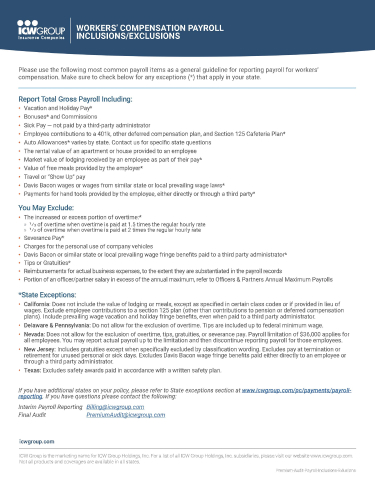
Arizona: Do not include the value of lodging in payroll, except as specified in certain classifications. The value of meals should not be included. Exclude only Davis Bacon fringe benefit payments paid into an ERISA qualified third-party pension plan.
California: Do not include the value of lodging or meals, except as specified in certain class codes or if provided in lieu of wages. Exclude employee contributions to a section 125 plan (other than contributions to pension or deferred compensation plans). Include prevailing wage vacation and holiday fringe benefits, even when paid to a third party administrator.
Note about dual wage construction classifications
See the California Time Record Requirements (PDF). If the auditor is unable to verify classifications at the time of audit, all payroll must be placed in the highest rate, regardless of the wage level.
Colorado: Davis Bacon Act fringe benefits provided separately by employer should not be included.
Florida: Do not include awards for employee achievements or discoveries, pure gratuities, or results of a voluntary profit sharing program.
Kansas: Can exclude Vacation, Holiday or Sick pay if shown in records.
Kentucky: Payments/allowances for hand tools should not be included.
Louisiana: Exclude special reward for achievements or discovery, pure gratuities or the result of voluntary profit sharing arrangements if not part of an employment contract.
Mississippi: Include expense reimbursement if records do not confirm expense was incurred as a business expense.
Nevada: Do not allow for the exclusion of overtime, tips, gratuities, or severance pay. Payroll limitation of $36,000 applies for all employees. Report actual payroll up to the limitation and then you may discontinue reporting payroll for those employees.
New Jersey: Include gratuities except when specifically excluded by classification wording. Exclude pay at termination or retirement for unused personal or sick days.
New Mexico: Bonuses paid under a state approved safety program should not be included.
Oregon: Do not include vacation pay or unanticipated bonus pay, amounts payable under profit sharing agreements or payments that are part of a program to reward workers for safe working practices. Only Davis-Bacon fringe benefits paid into an ERISA qualified third-party pension plan may be excluded.
Pennsylvania: Do not allow for the exclusion of overtime. Exclude special rewards for discovery or invention.
Tennessee: Include bonuses only when paid in lieu of wages and specified as a part of a wage contract.
Texas: Exclude safety awards paid in accordance with a written safety plan and the value of special rewards for individual invention or discovery.
Virginia: Do not exclude Davis-Bacon wages even when paid to third-party pension trusts.